Vahan Parivahan: how India's online vehicle records system works for you
Vahan Parivahan is the national vehicle registration system of the Ministry of Road Transport & Highways, built and run by NIC at vahan.parivahan.gov.in. Owners use it to pay road tax, get RC copies, change addresses, transfer ownership, apply for NOCs and permits, and pay fees online. Pick your state and RTO, choose a service and verify with an OTP.
Key takeaways
- Vahan handles vehicles; Sarathi handles licences. Learner licence printing is on Sarathi.
- Citizen services work with your vehicle number, chassis digits and an OTP to the registered mobile.
- Backlog login is for RTO staff and dealers, not owners. Ask the RTO if your old record is missing.
- Electric vehicles have been exempt from RC issue and renewal fees since the 2021 central rule change.
- Form 1 is a self declaration of fitness; Form 1A is a doctor's certificate for some applicants.
- Complaints go first to the RTO, then the portal helpdesk, then CPGRAMS with your reference number.
On this page · 41 sections
What is Vahan Parivahan?
Vahan Parivahan is the online vehicle registration system of the Government of India. It holds the record of almost every registered vehicle and lets owners pay tax, update their registration certificate (RC) and apply for permits online. The word “Vahan” means vehicle; “Parivahan” means transport.

One record for every vehicle
Each RTO enters its registrations into Vahan, and the entries feed a state register and a national register. The same record drives the RC, tax receipts, fitness certificates and permits, so a change made once shows everywhere.
Where the portal sits
Vahan is one part of the wider Parivahan Sewa family. The table below shows which portal handles which job, so you open the right one first.
| Portal | Main job | Typical tasks |
|---|---|---|
| Vahan | Vehicle records | RC copy, tax, transfer, NOC, permits, fitness |
| Sarathi | Licence records | Learner licence, DL, renewal, address change |
| e-Challan | Traffic fines | Check and pay challans |
| mParivahan app | Phone documents | Virtual RC and licence, vehicle search |
Who runs the Vahan Parivahan system?
The Ministry of Road Transport and Highways (MoRTH) owns the Vahan Parivahan system, and the National Informatics Centre (NIC) designs, builds and maintains it. State transport departments and their RTOs use it every day to register vehicles and approve applications.
The roles of NIC and the states
NIC is the technical partner. It writes the software, hosts the servers and compiles the state and national registers. States decide their own road tax rates, office procedures and many fees, then enter those rules into Vahan. So the screens look the same everywhere, while the amounts change by state.
When Vahan 4 arrived
MoRTH launched Vahan 4.0 together with Sarathi 4.0 on 2 June 2015. States then moved their offices onto it in phases over the next few years.
Is Vahan Parivahan a government website?
Yes. The official Vahan Parivahan portal at vahan.parivahan.gov.in is a Government of India service run for MoRTH. Any address that does not end in gov.in is not the official portal, even if it uses the same name, logo or colours. This guide, for example, is independent and not a government site.
How to recognise the real portal
Type the address yourself or reach it from parivahan.gov.in. Check the browser bar before entering a mobile number. It never charges a “service fee” for opening a form.
Why private guides exist
The portal is powerful but menu-heavy. Independent guides explain the steps in plain language. Use them for help, but always submit applications and payments on the official portal itself.
How is Vahan Parivahan different from Sarathi?
Vahan Parivahan deals with the vehicle, while Sarathi deals with the driver. If your task involves an RC, number plate, road tax or permit, use Vahan. If it involves a learner licence, driving licence, test slot or licence renewal, use Sarathi.
A simple test
Ask yourself whether the paper you want is about the car or bike, or about you. A duplicate RC, hypothecation removal or tax receipt is Vahan work. A licence renewal, change of address on a DL or international driving permit is Sarathi work.
Where the two meet
Some tasks touch both, such as buying a vehicle in a new city. You update the RC address on Vahan and the licence address on Sarathi separately.
Which online services can you use without an RTO visit?
Most everyday vehicle e-services start online on Vahan. You can pay tax, apply for a duplicate RC, change the address, transfer ownership, remove a loan entry, get an NOC and apply for permits. Some services still need a final visit for inspection or document checks.
| Service | What it does | Visit needed? |
|---|---|---|
| Pay road tax | Pays one-time or periodic tax | Usually no |
| Duplicate RC | Replaces a lost or damaged RC | Depends on state |
| Change of address | Updates the RC address | Depends on state |
| Transfer of ownership | Moves RC to the buyer | Often for verification |
| Hypothecation removal | Deletes the loan entry | Depends on state |
| NOC | Allows registration in another state | Depends on state |
| Fitness renewal | Renews fitness for older or commercial vehicles | Yes, for inspection |
Contactless services
Several states let owners finish selected services with Aadhaar authentication, so no visit or document check at the counter is needed. The option appears on the service page when your state offers it.
Tracking what you applied for
Every service creates an application number. Our know your application status guide explains how to follow it from submission to approval.
How do you choose your state on Vahan Parivahan?
On Vahan Parivahan, you choose the state and the RTO where your vehicle is currently registered, not where you live today. The services, fees and documents shown afterwards depend on that choice, so picking the wrong office is the most common reason a service appears missing.
Finding your RTO
The first four characters of your registration number show the state and office code. A vehicle numbered DL3C belongs to a Delhi office, while HR26 points to a Haryana office. Our RTO information guide explains how to read these codes.
Vehicles that changed state
If you moved your vehicle and it was re-registered in a new state, choose the new state. If you only moved house and kept the old number, keep using the original state until you take an NOC.
How does login Vahan work for citizens?
For citizens, login Vahan usually means entering your vehicle number and chassis digits, then confirming with an OTP sent to the mobile number in the vehicle record. There is no permanent account for most services; the OTP proves you control the registered phone.

- Open citizen services. Go to vahan.parivahan.gov.in and open the online vehicle services.
- Pick your state and RTO. Choose the office where the vehicle is registered.
- Choose the service. Select tax payment, duplicate RC, address change or another task.
- Enter vehicle details. Type the registration number and the last chassis digits.
- Verify with OTP. Enter the code sent to the registered mobile and continue.
Why the OTP matters
The OTP stops strangers from changing your record. If it reaches an old number, you cannot proceed. Our RC mobile number update guide shows how to correct the number first.
Session time-outs
The portal ends a session after a period of no activity. Keep your documents scanned and ready before starting, so a form is not lost halfway through an upload.
Do you need a password to use login Vahan?
Owners rarely need a password. Login Vahan for citizen services runs on OTPs. Separate user IDs and passwords exist only for dealers, RTO staff, banks, insurers and other organisations that work on the system every day.
Accounts for frequent users
Some states allow a citizen account for repeat services, created with a mobile number and password. You still verify the vehicle with an OTP before any change.
Forgotten password
Use the forgot password link on the same login page. A reset code goes to the registered mobile. If you are a dealer or fleet operator, your RTO or the agency that created your ID handles resets.
How does Vahan login Delhi work?
Vahan login Delhi works like any other state: open citizen services, choose Delhi and the office shown on your RC, then verify with the OTP. Delhi vehicles are registered by the Delhi Transport Department’s zonal offices, and all of them use the same national Vahan system.
Delhi’s contactless options
The Delhi Transport Department offers many vehicle services with Aadhaar authentication, so owners can often finish a duplicate RC or address change from home. The service page shows whether the contactless route is open for your task.
Delhi codes and offices
Delhi numbers start with DL followed by an office number, such as DL1 or DL8. Use that office when choosing the RTO. Pick the office printed on your RC, even if you now live in another part of Delhi.
What is Vahan backlog login?
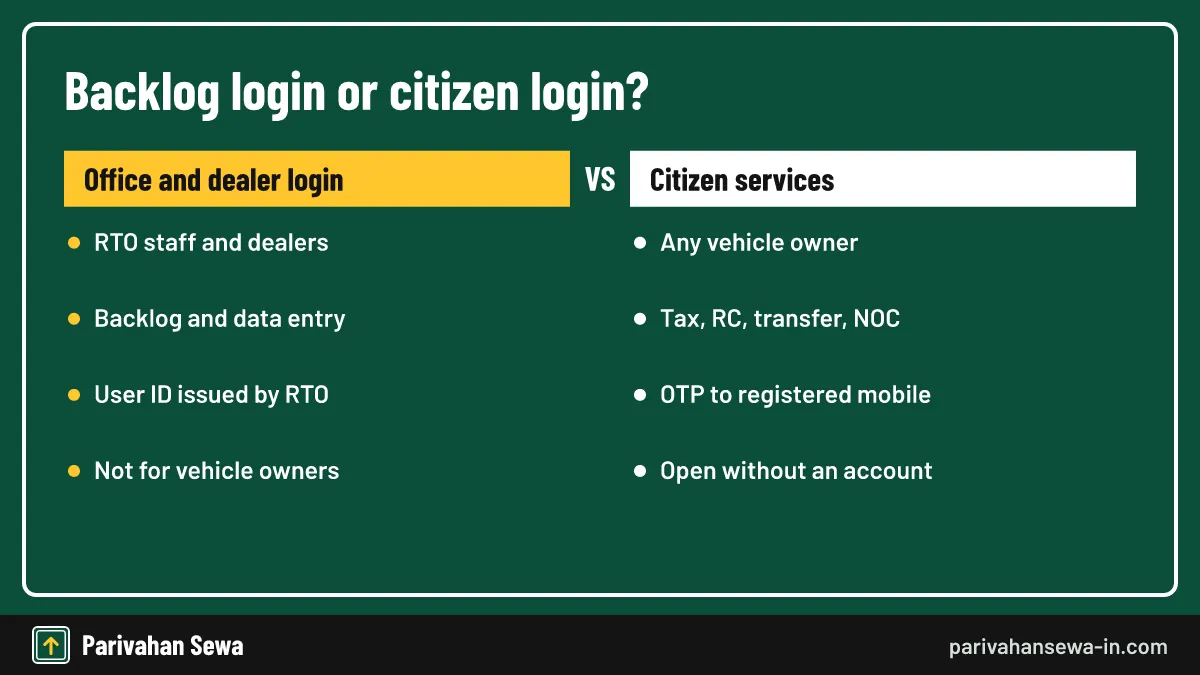
Vahan backlog login is an office-side entry used to add old vehicle records that were never moved into the Vahan database. It is used by RTO staff, and in some states by authorised dealers, not by ordinary owners. Citizens cannot create a backlog login themselves.
Why backlog records exist
Before Vahan 4, many RTOs used local software or paper registers. When they moved to the central system, some older records did not migrate. Those vehicles show “record not found” until the office enters them again.
What owners see
A missing record blocks online tax, transfer and NOC services. Owners need to approach the RTO, which enters the record through the backlog route after checking the original papers.
Who can use the backlog entry option?
Only people with an office user ID can use the backlog entry option: RTO officials, and dealers where the state has authorised them for specific entries. Owners take part by bringing their documents to the RTO, which then completes and approves the entry.
Documents to bring
Carry the original RC or RC book, insurance, tax receipts, and identity and address proof. If the RC is lost, a police report and an affidavit may be asked for. The RTO matches these with its old registers before approving the entry.
Self backlog entry in some states
A few states have offered a self-entry form where the owner fills details and the RTO approves later. Approval can take time. If yours is stuck, visit the RTO with the reference number rather than filing again.
Which reports can owners print themselves?
A Vahan report for an owner usually means a printable record from the portal: the application form, fee receipt, tax receipt, acknowledgement slip or RC copy. These are produced after a service and can be reprinted from the citizen services menu with the application or registration number.
Common printouts
The print options typically include the fee receipt, the filled application form, the acknowledgement and, once approved, the RC.
RC copies
For a digital RC, see our RC download guide. The PDF from Vahan or DigiLocker is a verified copy of the record.
What does Vahan 4 report mean?
Vahan 4 report usually refers to the reports that RTOs, states and MoRTH pull from the Vahan 4 system: registrations, tax collected, pending applications and similar office statistics. Most are internal. The public version of these figures is the Vahan dashboard.
Internal reports
Office users can generate daily collection, pending work and registration reports. These need an official login and are not available to owners or the public.
Public figures
Anyone can view registration totals on the Vahan dashboard, filtered by state, fuel, vehicle class and maker. It shows totals only, never single owners.
What is the Ministry of Parivahan?
Ministry of Parivahan is a common name for the Ministry of Road Transport and Highways (MoRTH), the central ministry in charge of road transport policy and national highways. There is no separate ministry with “Parivahan” in its official name; Parivahan is the brand of its online services.
Official website
The ministry’s website is morth.gov.in, with the older address morth.nic.in still seen in many links. It publishes notifications, draft rules, circulars and press releases. Vehicle services themselves run on the Parivahan portals, not on the ministry site.
What it does not do
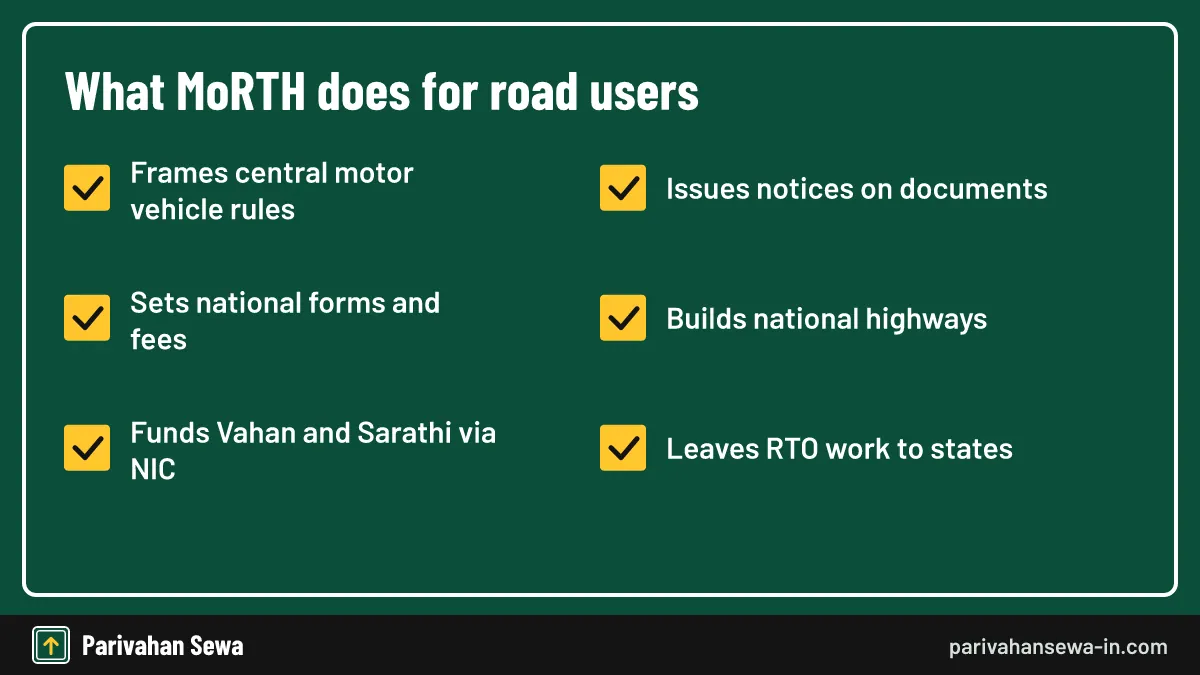
MoRTH does not register individual vehicles or issue licences. That work belongs to state transport departments and their RTOs, which apply central rules plus their own state rules.
What does MoRTH do for vehicle owners?
For owners, MoRTH writes the central rules that every state follows: registration forms, number plate standards, document validity, national fees and digital document rules. It also funds the Vahan and Sarathi systems that NIC builds, so every state uses the same core software.
Rules that reach you
When MoRTH changes a central rule, for example on fees for electric vehicles or on accepting digital RCs, the change applies across states. Draft rules are usually published for public comment before they become final.
Notices to watch
Ministry notifications appear in the Gazette of India and on the ministry website. The gazette text is the final word.
What do Hindi transport terms mean on the portal?
Many people search motar vahan, a spelling of the Hindi “motor vahan”, which simply means motor vehicle. On the portal and in law, it covers any mechanically propelled vehicle used on roads, from scooters to trucks. The Hindi version of the portal uses this term throughout.
Common Hindi terms
“Vahan panjikaran” means vehicle registration, “chalak anugyapti” means driving licence, and “parivahan vibhag” means transport department.
Spelling variations
Searches such as motar vahan, motor vahan and moter vahan all point to the same idea. They are not separate services, and no official site uses those spellings as a brand.
Which law governs motor vehicles in India?
The Motor Vehicles Act, 1988 is the main law, and the Central Motor Vehicles Rules, 1989 set the details, such as forms and central fees. States add their own motor vehicle rules and taxation acts that decide road tax.
Central and state shares
Registration, licences, permits and fines rest on the central Act. Road tax comes from state laws, which is why the tax for the same car differs between Delhi and Maharashtra.
Where the forms come from
Forms 1 and 1A for licences, and Forms 29, 30 and 35 for vehicles, are all set out in the central rules. The portals simply turn them into online forms.
How are online fees paid for vehicle services?
Online fees on Vahan are paid at the end of each application. The portal works out the fee, tax and any penalty from your vehicle’s record, shows the total, and sends you to a bank gateway for UPI, card or net banking.

Why amounts differ
Fees depend on the service, vehicle class, age and state. A fitness renewal for an old commercial vehicle costs far more than a duplicate RC for a scooter.
Keep the receipt
Download the receipt the moment it appears. It carries a transaction and receipt number that the RTO can check if anything goes wrong later.
How do you see the fee before paying?
The fee summary appears on the screen before the payment button, listing each part of the charge. Check it carefully: a penalty line usually means a delay, such as late tax or a lapsed fitness, and should match what you expect for your vehicle.
Fee details screen
Each line shows the head, such as application fee, smart card fee, tax or penalty. If a line looks wrong, stop before paying and ask the RTO.
State fee lists
States publish their fee and tax schedules on their transport websites. Compare them with the screen if you are unsure, especially for older or heavier vehicles.
What happens if an online fee payment fails?
If money is debited but no receipt appears, do not pay again at once. Wait a few hours, then use the portal’s payment verification or reprint option with the application or transaction number. Most failed payments either update or are reversed by the bank automatically.
Steps to recover
Note the bank reference from your SMS. Check the reprint receipt option later the same day. If the payment still does not show, contact the RTO or the portal helpdesk with the reference number and bank statement.
Double payments
If you paid twice by mistake, one payment is usually reversed by the gateway. If not, request a refund from the RTO in writing with both receipts.
How is road tax online Delhi paid?
Road tax online Delhi owners pay through Vahan: choose Delhi, pick the pay tax service, enter the vehicle number and chassis digits, verify the OTP, check the tax shown and pay. For new private vehicles, Delhi collects a one-time tax at registration, which the dealer usually handles.
When you pay it yourself
Owners usually pay tax themselves for commercial vehicles with periodic tax, vehicles brought in from another state, or arrears.
Law and rates
Delhi’s road tax comes from the Delhi Motor Vehicles Taxation Act, 1962. Rates depend on the vehicle type, use, fuel and price. Check the current rate list on the Delhi Transport Department website before paying a large amount.
How does electric vahan registration work?
Electric vahan registration follows the same Vahan process as a petrol or diesel vehicle. The dealer files the registration, the RTO approves it, and the vehicle receives a green number plate. Private EVs show white characters on green; commercial EVs use yellow characters on green.

Low-speed electric scooters
Some low-speed electric two-wheelers fall outside registration rules if they meet the speed and motor limits. Check the dealer’s type approval papers. If the scooter needs registration, it will carry a green plate like any other EV.
Subsidies and state policies
Purchase incentives come from central schemes and state EV policies, not from Vahan itself. Check the current scheme and your state policy before you buy.
Do electric vehicles pay registration certificate fees?
No. Under the Central Motor Vehicles (Sixteenth Amendment) Rules, 2021, notified as G.S.R. 525(E) on 2 August 2021, battery operated vehicles are exempt from fees for issue or renewal of the RC and for the assignment of a new registration mark. Road tax is a separate, state matter.
What the exemption covers
The waiver covers RC issue, RC renewal and the new registration number. Other charges, such as the smart card, number plates or insurance, can still apply.
Road tax for EVs
Many states have reduced or waived road tax on electric vehicles for set periods under their EV policies. Those periods and conditions differ, so check your state’s current notification before buying.
What is QR code scanning on an RC?
People searching vahan scan usually mean scanning the QR code on an RC smart card or a virtual RC. Officials scan it to open the live Vahan record, which confirms the RC is genuine, current and matches the vehicle in front of them.
Who can scan
Traffic police and transport officers use official apps that read the QR code against Vahan. Owners can view their own virtual RC in the official mParivahan app, which shows the same QR code.
Scanning safely
Do not trust a QR sticker or a link that claims to “scan your vehicle” for a fee. Official records are opened through official apps and portals only, never through a private payment page.
How do you raise a Vahan complaint?
A Vahan complaint starts with the RTO that handles your application, because only that office can approve or correct your record. If the RTO does not help, write to the portal helpdesk, then the state grievance cell, and finally file on CPGRAMS.

Portal helpdesk
The Vahan helpdesk email listed for registration, tax, permit and dealer queries is [email protected]. Write from your registered email, with the application number, vehicle number and screenshots. Confirm the current contact details on parivahan.gov.in before writing.
What to include
Give a short timeline: date applied, payments made, stage shown and what went wrong. Attach receipts.
How do you track a complaint you have filed?
Tracking a complaint depends on where you filed it. On CPGRAMS (pgportal.gov.in), use the registration number given when you lodged it; the status shows as pending, under process or closed. For RTO or email complaints, follow up with the reference number or email thread.
Following the application too
A complaint does not replace the application. Keep checking the application stage as well. Our status parivahan guide explains each stage and what to do when one stalls.
When a complaint is closed
If CPGRAMS closes your complaint without a fix, you can give feedback and, where offered, appeal.
What is the self declaration form parivahan applicants fill?
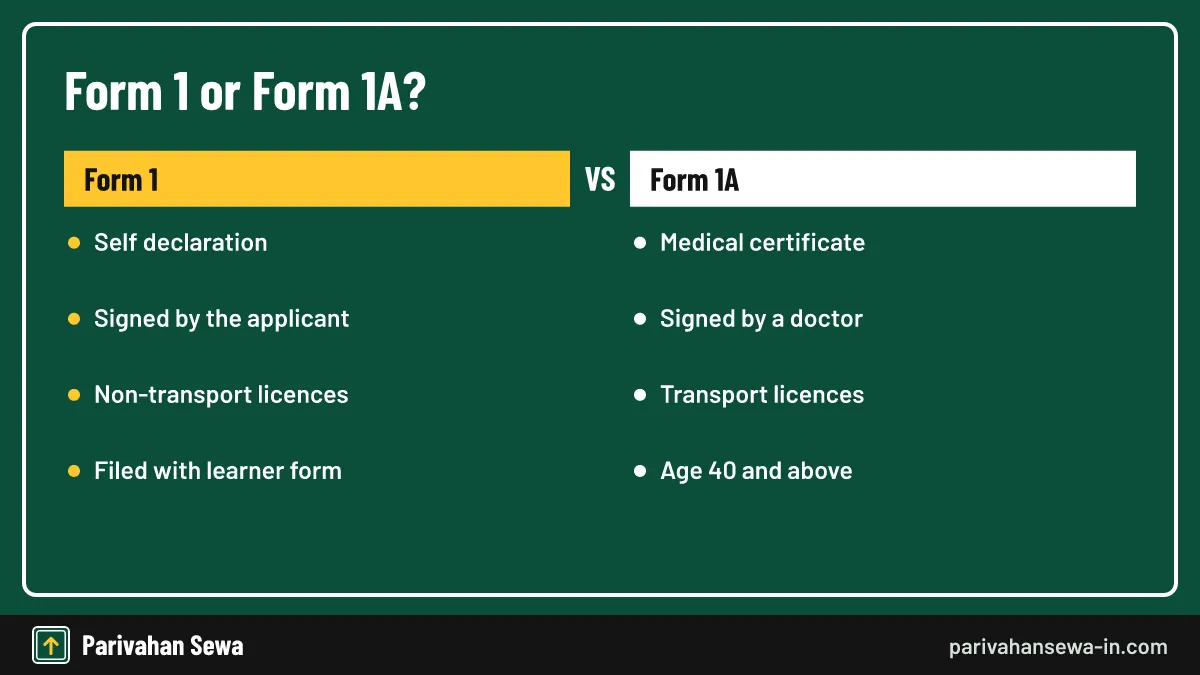
The self declaration form parivahan applicants fill is Form 1, a declaration of physical fitness attached to a learner licence application. You state whether you have conditions such as poor eyesight, hearing loss or fits that could affect driving, and sign it yourself.
Where it fits
Form 1 goes with the learner licence application on Sarathi. In most states, Sarathi generates it while you fill the application, so you only review and sign it.
Answer honestly
A false declaration can lead to the licence being refused or cancelled later.
When is Form 1A needed instead?
Form 1A is a medical certificate signed by a registered medical practitioner. It is needed for transport vehicle licences and, generally, for applicants aged 40 and above. For a young applicant seeking a private car or bike licence, the Form 1 self declaration is normally enough.
| Point | Form 1 | Form 1A |
|---|---|---|
| What it is | Self declaration of fitness | Medical certificate |
| Who signs | The applicant | Registered medical practitioner |
| Typical use | Non-transport licences | Transport licences, applicants 40 and above |
| Where it goes | With the learner licence application | With the licence application |
Getting Form 1A
Download the form, take it to a registered doctor and get it signed and stamped. Some states accept it uploaded online by the doctor.
Check your state’s rule
Age limits and accepted doctors can vary in practice. Check the document list on Sarathi for your state before you book a test slot.
Where is the self declaration form Punjab Parivahan?
The self declaration form Punjab Parivahan applicants need is the same national Form 1. Select Punjab on Sarathi, fill the learner licence application and the form is produced with it, or use the forms or print options on the Punjab Sarathi page.
Punjab specifics
Punjab licence work is handled through Sarathi with Punjab selected, and documents are checked at the licensing office chosen in the application.
If you cannot find it
Ask the licensing office help desk, which can print it for you. Avoid paying agents for a “Punjab self declaration form”, because the form itself is free.
How to download learner license from Sarathi?
To learn how to download learner license, open Sarathi, select your state, go to the learner licence services and choose the print learner licence option. Enter your application number and date of birth, then save the PDF. The option works only after you pass the learner test.

- Open sarathi.parivahan.gov.in and select your state.
- Open the learner licence section of the online services.
- Choose print learner licence.
- Enter the application number, date of birth and captcha.
- Download and save the PDF, or print it.
What you need
Keep your application number from the learner application handy. It appears on the acknowledgement, the fee receipt and the SMS sent after you applied.
Using the PDF
The printed learner licence is valid for riding or driving with the conditions it states, such as an L plate and a licensed instructor beside you.
What if the learner licence print is not available?
If the print option shows an error, the most common reasons are a pending test result, an application not yet approved by the RTO, or a wrong date of birth. Check the application status first, then try again after the result is updated.
Wrong state selected
The learner licence lives in the state where you applied. Choosing another state returns “no record”. Select the original state and try again.
Lost application number
Use the find application number option on Sarathi with your name and date of birth, or check your SMS and email from the date you applied.
What is Sarti Haryana?
Sarti Haryana is a misspelling of Sarathi Haryana, the licence portal with Haryana selected as the state. Haryana learner licences, driving licences, renewals and test slots all run on Sarathi. There is no separate official site called “Sarti”.
Using Sarathi for Haryana
Open sarathi.parivahan.gov.in, choose Haryana, then pick the licence service you need.
Haryana vehicle work
RC, tax and permit work for HR vehicles runs on Vahan Parivahan with Haryana selected, not on Sarathi.
What is transport e sewa?
Transport e sewa is a general phrase for the online transport services of the government: Vahan for vehicles, Sarathi for licences, e-Challan for fines and the mParivahan app. Some states also run their own e-sewa or e-district portals that link to these services.
Central and state e-services
Central e-services work the same way in every state. State e-sewa centres and common service centres can help you fill forms for a small service charge, but the official fee is paid on the portal.
Choosing the right one
Start from parivahan.gov.in and follow the link for your task.
Which transport department website should you use?
Use your state transport department website for notices, fee lists, office addresses and local rules, and use Vahan or Sarathi for the actual application. Most state departments use gov.in or nic.in addresses and link back to Parivahan for online services.
What state sites publish
State sites carry road tax rates, office timings, holidays, special drives and circulars. They are the right place to confirm a fee before paying it on Vahan.
Finding the correct site
Search for the department’s name with “gov.in” and check the address.
Is car info vehicle registration data official?
No. CarInfo and similar apps offering car info vehicle registration details are private products. They display information drawn from public sources and their own records, but they are not run by MoRTH or NIC, and they cannot change or certify a record.
When private apps help
They can be handy for reminders on insurance or PUC expiry. For anything official, such as checking a used vehicle before purchase, use the official search in mParivahan or Vahan.
Privacy concerns
Be cautious about apps that promise full owner names, addresses or phone numbers. Official services mask owner details to protect privacy. For the official vehicle record, see our RC card guide.
Is Pravin Transport connected with Parivahan?
No. Pravin Transport is not a government service. Several private businesses use the name, mainly bus operators listed on ticket booking sites, including a service running routes from Satara, Karad and Sangli to Mumbai. None of them is connected with Vahan or MoRTH.
Booking with a private operator
Book tickets through the operator or a booking platform you trust.
Checking a bus or truck
To check a commercial vehicle’s permit or fitness, use the vehicle number in official services. Our temporary permit guide explains how permits appear in Vahan.
How does Vahan Parivahan protect owner details?
Vahan Parivahan shows full owner details only to the owner after OTP verification, and to authorised officials. Public searches show a masked name and basic vehicle facts. Bulk access to the database is restricted under the government’s data-sharing rules.
What public search shows
A number search shows the model, registration date, fuel, RTO and validity dates. It does not show an address or mobile number.
Protecting yourself
Never share an OTP from Vahan with a caller. A genuine RTO or insurer never asks for it.
How does Vahan Parivahan work on a phone?
Vahan Parivahan opens in any modern phone browser and offers most services on a small screen. Uploading documents is easier with scans saved on the phone. The mParivahan app adds a virtual RC and quick vehicle search, but applications still open the Vahan website.
Phone tips
Turn the phone sideways on wide tables, keep files under the size limit shown and use a stable connection during payment.
Challans on the phone
Traffic fines are on the e-Challan system, reachable from the phone too. See our online challan guide for checking and paying.
Who do you contact for Vahan Parivahan help?
For help with Vahan Parivahan, contact the RTO that handles your vehicle first, because it controls your record. For portal faults, use the helpdesk contacts shown on parivahan.gov.in. For unresolved complaints, use the state grievance cell or CPGRAMS.
Before you contact anyone
Write down the application number, vehicle number, transaction number and the exact error message.
Help for new portal users
Newer screens sometimes appear first as test versions. Our Vahan beta guide explains what changes when the portal moves to a new layout.
How do you avoid fake transport websites?
Fake sites copy the look of Vahan Parivahan to collect fees or personal data. Always type the address yourself, check for gov.in, and pay only on the official gateway after the fee summary. Ads at the top of search results are not always official.

Warning signs
Extra “processing” charges, requests for OTPs over the phone, WhatsApp payment links and addresses without gov.in are clear warnings.
If you were cheated
Report the fraud to your bank at once and to the national cyber crime helpline 1930 or cybercrime.gov.in. Keep screenshots of the site and payment.
What are the most common portal errors and fixes?
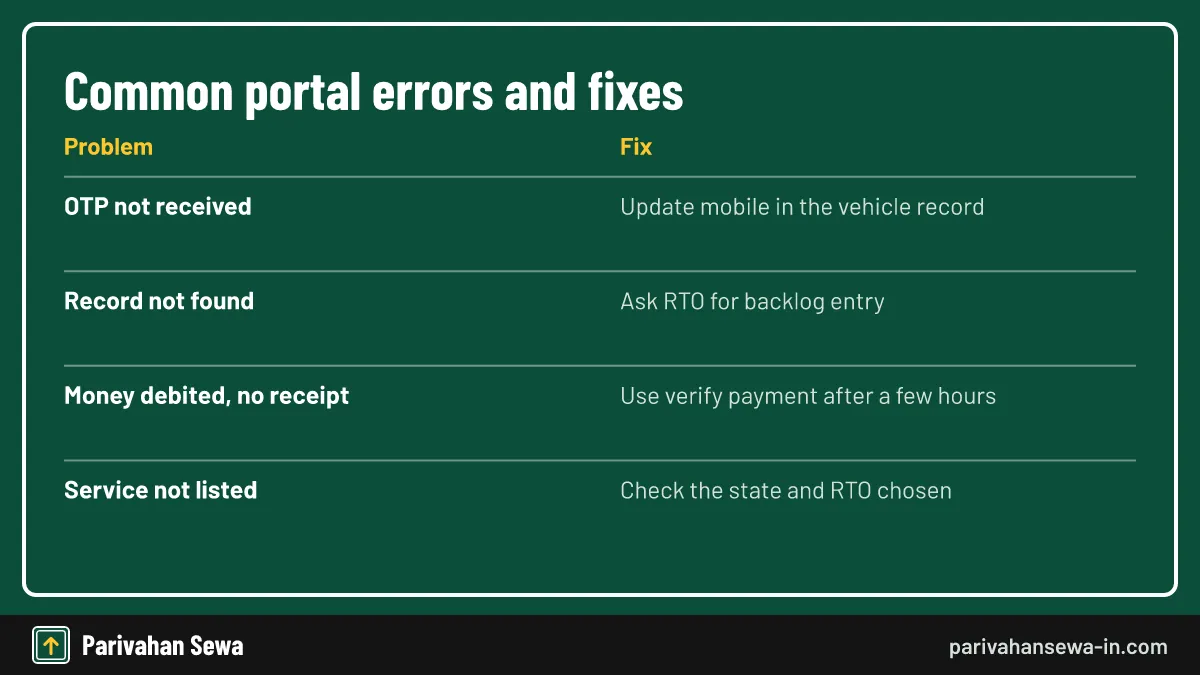
Most Vahan Parivahan errors come from three causes: an old mobile number in the record, an old record that never migrated, or a payment that did not confirm. The table below links each error to its usual fix.
| Error | Likely cause | Fix |
|---|---|---|
| OTP not received | Old mobile in record | Update the mobile number first |
| Record not found | Record not migrated | Ask the RTO for backlog entry |
| Money debited, no receipt | Gateway delay | Verify payment after a few hours |
| Service not shown | Wrong state or RTO | Recheck the code on the RC |
| Chassis mismatch | Typing error | Enter the last digits exactly as on RC |
When the site is slow
Peak hours, month ends and tax deadlines slow the portal. Try early morning and avoid repeated clicks on submit.
When nothing works
Clear the browser cache, try another browser and then contact the RTO with screenshots. For an overview of every vehicle service, start from our vehicle information hub.
Official links
Vahan citizen servicesvahan.parivahan.gov.in ↗Parivahan Sewaparivahan.gov.in ↗Sarathi (licences)sarathi.parivahan.gov.in ↗Ministry of Road Transport & Highwaysmorth.gov.in ↗CPGRAMS grievance portalpgportal.gov.in ↗Vahan parivahan questions
Is Vahan Parivahan free to use?
Opening the portal, checking details and tracking an application are free. You pay only the official fee or tax for the service you apply for, through the payment gateway on the portal.
Can I use Vahan Parivahan for a vehicle registered in another state?
Yes. Select the state and RTO where the vehicle is currently registered. For moving a vehicle to a new state, apply for an NOC from the old RTO and registration at the new one.
What is the difference between Vahan and Vahan 4?
Vahan 4 is the current, web-based version of the Vahan system, launched in 2015. When people say Vahan today, they almost always mean Vahan 4.
Why does Vahan show my vehicle details as not found?
Older vehicles registered before the RTO moved to Vahan may not have been migrated. The RTO can add the record through backlog entry after checking your original papers.
Can I download my learner licence from Vahan?
No. Learner and driving licences live on Sarathi. Open Sarathi, select your state and use the print learner licence option with your application number and date of birth.
Is the self declaration form the same in every state?
Form 1 is a national form under the central rules, so the content is the same. States may show it in a slightly different layout or language on Sarathi.
Do electric vehicles get a green number plate?
Yes. Private electric vehicles carry a green plate with white characters, and commercial EVs use green with yellow characters.
Can I complain about an RTO agent through Vahan?
Vahan itself has no agent complaint form. Report the matter to the RTO head, the state transport department or CPGRAMS, with dates and any payment proof.
How long does a Vahan application take?
It depends on the service and the RTO. Track it with the application number, and contact the RTO if it stays at one stage for longer than the office's stated time.
Can someone else apply on Vahan for my vehicle?
They can fill the form, but the OTP goes to the owner's registered mobile. Do not share that OTP with anyone you do not trust.
Is CarInfo the same as Vahan Parivahan?
No. CarInfo and similar apps are private products. They show data drawn from public sources but are not run by MoRTH or NIC.
Does Vahan Parivahan work at night?
The portal is usually available round the clock, though payment gateways and some services can pause for maintenance. Try again later if a page will not load.
Parivahan Sewa (parivahansewa-in.com) is an independent information website and is not affiliated with MoRTH, Parivahan or any state transport department. Confirm fees and rules on the official portal before you pay or apply.