Vahan NR e services: a complete guide to citizen vehicle services
Vahan NR e services are the online vehicle services built on India's national vehicle register, run by NIC for MoRTH. On the Vahan citizen portal you pick your state and RTO, enter the registration number and chassis digits, verify an OTP and then pay tax, apply for a duplicate RC, NOC, permit or transfer, and track the application.
Key takeaways
- Vahan NR e services read from the National Register, which pools records from every Vahan office in India.
- You always apply to the state and RTO that holds the vehicle record; the national copy updates afterwards.
- Most services need only the registration number, chassis digits and an OTP on the registered mobile, not a password.
- Fees, tax rates and which services are online are set by each state, so check the fee screen before paying.
- Keep the application number from every transaction; status checks, reprints and permit tracking depend on it.
On this page · 39 sections
What are Vahan NR e services?
Vahan NR e services are the online services that sit on India’s National Register of motor vehicles. NIC builds and maintains the software for MoRTH, while each state transport department decides which services to switch on and what to charge. Owners use them to pay tax, update the RC and track applications.

The two halves of the system
Behind the screens there are two layers. Each RTO keeps its own state register, and NIC compiles those records into one national copy. The services you click on work on your state record, and the national register reflects the change once the RTO approves it.
What you can expect to do online
You can usually pay road tax, ask for a duplicate RC, start an ownership transfer, change an address, add or remove a loan entry, apply for a no objection certificate and track status. For an overview of the wider Vahan database, see our Vahan vehicle information guide.
What does the Vahan national register mean?
The Vahan national register is the central database that pools vehicle records from every centralised Vahan office, plus the state registers of offices not yet on Vahan. Government listings say its users include RTOs, inter-state check posts and police, and that enrolled outside users can get access for a fee.
Why a national copy matters
A single register lets a police officer in one state check a vehicle registered in another, lets check posts confirm tax and permits, and stops a stolen or loaned vehicle being re-registered quietly elsewhere. Without it, every state would be an island.
What the public can see
Ordinary users see a limited, masked view: registration date, office, vehicle class, fuel, and insurance or fitness validity. Full owner details stay with authorised agencies.
Which NR services can a citizen use?
Citizens use NR services through the Vahan citizen portal rather than any separate national website. The national register powers vehicle search, document verification and inter-state services, while day-to-day applications go to your RTO. The services you see depend on your state’s settings on the portal.

| Service | What it does | Where it usually ends |
|---|---|---|
| Pay vehicle tax | Pays road tax or quarterly tax online | Online receipt |
| Duplicate RC | Replaces a lost or damaged certificate | RTO approval, card by post |
| Transfer of ownership | Moves the record to the buyer | RTO approval after document check |
| Hypothecation | Adds or removes a financier entry | RTO approval |
| NOC | Clears the vehicle to move to another state | Certificate download or collection |
| Permit | Fresh, renewal or temporary permit | Print permit after approval |
Services that stay with the RTO
Some steps cannot be completed online in any state: a physical inspection for fitness, chassis checks for transfers in some offices, and original document verification.
Services that differ by state
States choose whether a service is “faceless” or needs a visit. One state may allow address change entirely online with Aadhaar authentication, while another asks for an appointment. The portal shows the right path once you choose the state.
Who gets an NR e service login?
An NR e service login, with a user ID and password, is meant for authorised users: RTO staff, police, check posts, insurers and enrolled agencies that need full record access. A private owner does not need it, because owner services open with the vehicle number and an OTP sent to the registered mobile.
Owners, dealers and agencies
Owners use OTP access. Dealers get a separate Vahan login issued by the state transport department on application, which they use for new registrations. Insurers, banks and enforcement agencies are enrolled under their own arrangements.
Why the logins are kept apart
A dealer or agency login can see and change records that an owner cannot, so the department issues it only after checks.
Vahan NR or the state register: what is the difference?
Vahan NR is the national compiled copy; the state register is the working record held by each RTO. Applications, fees and approvals happen on the state side. The national copy is updated from it, which is why a fresh change can take a little time to show in national searches.
| Point | National Register | State register |
|---|---|---|
| Kept by | NIC for MoRTH | Each RTO under the state |
| Main users | Police, check posts, agencies | RTO staff and owners |
| You apply here | No | Yes |
| Rules and fees | Central framework | State notifications |
| Update timing | After state approval | At approval |
When the two disagree
If a search shows old details after an approved change, give it a day and search again. If it still differs, the RTO’s approval may not have gone through fully; ask the office to check the record.
Offices outside Vahan
A few offices historically kept records on older state systems. Their data reaches the national register as a state register upload, so some fields may be thinner. The fix is a record update at the RTO.
What is a Vahan service and who provides it?
A Vahan service is any registration-side task handled on the Vahan application: new registration, tax, transfer, address change, loan entries, permits, fitness and NOC. MoRTH sets the framework under the Motor Vehicles Act, NIC runs the software, and the state transport department provides the service through its RTOs.
Who answers for what
Software faults go to the Vahan helpdesk. Rules, fees and approvals belong to the state. A decision on your application, such as a rejected transfer, is made by an RTO officer, so questions about it go to that office.
What a Vahan service is not
Licence work is not a Vahan service; it runs on Sarathi. Challans are on the e-Challan system.
Which Vahan online services work without an RTO visit?
Most Vahan online services for private vehicles now work without a visit: tax payment, duplicate RC in many states, address change, and loan entry removal after the bank uploads its NOC. Transfers and NOCs often still need a document check, but you book that slot online.

Faceless options
Several states advertise faceless or contactless services that use Aadhaar e-KYC instead of a counter visit. When you pick a service, the portal asks whether to authenticate with Aadhaar or continue with a visit; the faceless route skips the queue.
When a visit is still needed
Commercial vehicles needing fitness tests, vehicles with chassis or engine changes, and cases where documents fail online checks still go to the office. The portal tells you when to appear and which originals to bring.
Vahan 4 O: what does the 4.0 version mean?
“Vahan 4 O” is how many people type Vahan 4.0, the fourth version of the vehicle registration application. MoRTH launched Vahan 4.0 and Sarathi 4.0 on 2 June 2015, moving states from separate local systems to one web-based, centrally hosted platform that every RTO now uses.

What changed with 4.0
Older versions ran on servers inside each office, so a record in one RTO was invisible to another. Version 4.0 put everything on a central server, which made online payment, inter-state checks and the public citizen portal possible.
Is there a Vahan 5?
No public “Vahan 5” has been announced on official channels that we could confirm. Improvements arrive as updates to the same platform, such as the newer citizen service screens.
How does the Vahan 4 portal work?
The Vahan 4 portal works as one website with state-wise screens. You open the citizen services page, choose a state and office, and the portal loads that state’s services, fees and forms. Every service follows the same pattern: identify the vehicle, verify by OTP, fill the form, pay, then track.
The main menus
Look for Online Services (applications), Status (application status, pending payments, reprints), Permit (permit services) and Download (forms and documents).
The beta screens
During updates, NIC has run a newer layout alongside the older one. Our Vahan beta guide explains that interface and its tax screens. Both layouts read the same record, so pick whichever loads faster for you.
How do you submit and track a Vahan 4 application?
A Vahan 4 application is created when you finish a service form and pay. The portal then issues an application number, which is the key for every later step: uploading documents, booking an appointment, checking status and printing the final document. Note it before closing the page.
- Open vehicle related services. Go to the Vahan citizen services portal on vahan.parivahan.gov.in.
- Pick state and RTO. Select the state and office printed on your registration certificate.
- Enter the vehicle number. Type the registration number and the last chassis characters.
- Verify with OTP. Enter the code sent to the mobile number in the vehicle record.
- Choose the service and pay. Fill the form, upload documents and pay the state fee online.
- Save the receipt. Download it and note the application number for status checks.
Uploading documents later
If the upload step fails, most states let you return through the Upload Documents option with the application number.
Booking the appointment
Where a visit is needed, an appointment option appears after payment. Choose a date the office has open and print the slip. For the full set of status messages, see our guide to know your application status.
What is citizen Vahan?
Citizen Vahan is the public side of the Vahan system, the part open to vehicle owners rather than RTO staff or dealers. It is reached from the Parivahan home page under online services and vehicle related services, and from the direct Vahan citizen services address.
What citizens can and cannot change
Citizens can request changes, but an RTO officer approves them. You can pay tax, apply for documents and check status. You cannot edit the record directly; even a spelling correction goes through an application.
Citizen Vahan on a phone
The citizen screens work in a phone browser. For a quick look at your vehicle, the mParivahan app is easier; for applications and uploads, a desktop or a phone in landscape mode avoids layout problems.
How does citizen service Vahan open for your state?
Citizen service Vahan opens with a state choice. After you select the state, the portal asks for the RTO or shows a single state screen, then lists only the services that state has enabled. Choosing the wrong state is the commonest reason for “record not found”.
Choosing the right office
Pick the office printed on your RC, not the one nearest your home. If you moved within a state and changed your address, the record may now sit with the new office; the RC shows which.
Vehicles moved between states
If a vehicle was re-registered in a new state, use the new state. Until the new registration is complete, services such as tax refunds or NOC stay with the old state.
How does Vahan citizen service login work?
The Vahan citizen service login lets an owner create an account with a mobile number and password, then see saved vehicles and past applications in one dashboard. It is optional: most single-vehicle services can be started without signing in, using the registration number, chassis digits and OTP.

When an account helps
Fleet owners, families with several vehicles and small businesses benefit most. The dashboard lists pending applications and receipts, saving repeated OTP checks for each vehicle.
Keeping the account safe
Use a strong password, never share OTPs and sign out on shared computers.
What are e vehicle services?
E vehicle services usually means electronic vehicle services: the online, paperless versions of RTO work such as tax payment, RC applications and permits. In everyday searches, “e vehicle” and “e-services” both point to the same Vahan citizen portal on Parivahan.
Electronic documents count
Since the 2018 amendment of rule 139 of the Central Motor Vehicles Rules, an RC or licence shown in DigiLocker or mParivahan is accepted as a valid document. That makes e vehicle services more than a convenience; the digital copy is legally usable.
What is still on paper
Some states still post a smart card RC after approval. Others have moved to digital-first RCs.
Which e vehicle services suit electric vehicle owners?
Some people type “evehicle vehicle services” when they mean services for electric vehicles. Electric cars and scooters use the same Vahan services as petrol ones, with a few differences: a green number plate, exemption from certain RC fees, and state EV incentives that may be claimed separately.
Fees and plates for electric vehicles
Under G.S.R. 525(E) of 2 August 2021, battery operated vehicles are exempt from fees for issue or renewal of an RC and for a new registration mark. Their plates are green, with white characters for private and yellow for transport vehicles.
Subsidies and new launches
State EV subsidies are applied for through state schemes, not the core Vahan forms. For broader electric vehicle topics, our e vehicle guide covers that side.
How to check Vahan transaction status?
To check Vahan transaction status, open the Status menu on the citizen portal. Use “Know Your Application Status” for the stage of an application, or “Check Pending Transaction” when money left your account but no receipt appeared. Each option asks for a reference number and a captcha.
| Situation | Option to use | What you enter |
|---|---|---|
| Want the stage of an application | Know your application status | Application number |
| Paid, no receipt shown | Check pending transaction | Application or bank transaction number |
| Lost the receipt | Reprint receipt | Application, receipt or registration number |
| Permit applied for | Permit status | Permit application number |

Pending payments
Secondary guides say a pending payment can take about one to two hours to settle with the bank. Check again after that window rather than paying twice; a second payment creates a second application.
Reading the result
A “success” result means the fee is recorded and the application moves to the RTO. A “failure” means the bank reversed it; the refund follows the bank’s own timeline.
Where do you see registration status Vahan?
Registration status Vahan shows where a new registration or a re-registration stands: fee paid, documents verified, approved, or RC printed. Owners find it under the Status menu, while dealers see the same stages in their login. Once approved, the registration number appears in vehicle searches.
New vehicles from a dealer
For a new vehicle, the dealer files the registration on Vahan. Ask the dealer for the application number if you want to track it yourself; the RTO approves after checking the documents and, where needed, the vehicle.
Re-registration after a move
For a vehicle brought from another state, status covers the new state’s checks and tax. The old registration is closed only after the new one is issued, so keep both receipts.
What is Vahan TP status?
Vahan TP status most often refers to the status of a temporary permit application, and sometimes to temporary registration. The check runs from the permit or status menus with the application number. Because “TP” is ambiguous, look at your receipt: it names the service you actually applied for.
Temporary permit
A temporary permit lets a transport vehicle run for a short period or a specific trip outside its normal permit. Our temporary permit guide covers rules and applications; here we only note that its status is tracked by application number.
Temporary registration
A new vehicle may get a temporary registration for a short period until the permanent number is issued. Its status is tracked under the registration application, not the permit menu.
How to check Vahan permit status?
To check Vahan permit status, open the permit section of the citizen portal, choose the status option and enter the permit application number. Once approved, secondary guides say a renewed permit can be printed under Permit and Print Permit using the vehicle number and application number.
Which permits run on Vahan
Fresh permits, renewals, temporary and special permits for transport vehicles are handled through Vahan in most states. Assam, for example, lists “Fresh Permit (Vahan)” as a service on its Sewa Setu portal.
When a permit stays pending
Permit approvals can involve the regional transport authority, which meets on set dates in some states. A long pending status may simply mean the authority has not met yet; ask the RTA office.
What is a Vahan particular?
A vahan particular is a printout of a vehicle’s registration particulars: owner, address, chassis and engine numbers, class, fuel, tax, insurance, fitness and any financier. Banks, courts, insurers and buyers sometimes ask for it because it shows the full current record, not just the certificate.
How to get one
Some states offer a particulars print on the citizen portal after OTP verification; others issue it at the RTO counter on request, sometimes with a fee. The vehicle’s own registered mobile is needed for the online route.
Particulars versus RC copy
The RC copy is the certificate. The particulars list can show extra items such as tax paid up to and blacklisting flags.
How does a Vahan duplicate RC application work?
A Vahan duplicate RC application replaces a lost, stolen, damaged or illegible certificate. You select the duplicate RC service, verify the vehicle by OTP, fill the form, upload a police report for loss or theft, and pay the state fee. The RTO approves it and issues a new card or digital copy.

What to prepare
Keep a copy of the loss report, valid insurance, PUC and ID proof ready. If the vehicle is under a loan, the financier’s consent may be needed. Our duplicate RC download guide covers forms and fees in detail.
A copy is not a duplicate
Downloading a PDF copy of your RC does not replace a lost original for a sale or transfer. Only an approved duplicate restores a legal original.
How is Vahan hypothecation added or removed?
Vahan hypothecation is the financier entry on the RC when a vehicle is bought on a loan. It is added at registration or later through the hypothecation addition service, and removed after loan closure through hypothecation termination, using the bank’s NOC and Form 35 with an OTP check.
Removing the entry
Close the loan, collect Form 35 and the NOC, open the hypothecation termination service, verify the vehicle, upload the documents and pay the state fee. Once the RTO approves, the financier’s name leaves the record. For the term itself, see our guide on hypothecation meaning.
After approval
Tell your insurer to remove the financier from the policy so the RC and insurance match. A mismatch can delay claims and resale.
How to check Vahan nic in NOC status?
Many people search “Vahan nic in NOC status” because older Vahan addresses ended in nic.in. Today the NOC status check runs on the Parivahan Vahan portal under the Status menu, using the NOC application number. The older nic.in addresses may redirect or stop working, so use the parivahan.gov.in address.
What the NOC is for
An NOC clears a vehicle to be re-registered in another state or confirms there are no dues. Our no objection certificate guide explains when it is needed and what it costs.
Status stages
Expect stages such as fee paid, verification pending, approved and certificate ready.
What is Vahan beta tax?
Vahan beta tax refers to the tax payment screens on the newer beta layout of the Vahan citizen portal. The tax rules are the same as on the main screens: you enter the vehicle number and chassis digits, verify by OTP, see the tax due set by your state, and pay online.
Tax modes you may see
The screen may offer one-time, quarterly, half-yearly or annual tax depending on vehicle class and state.
Keep the tax receipt
The receipt is your proof at check posts and during transfers. If it is lost, the Status menu’s reprint option can bring it back with the receipt or registration number.
Vahan MIS: which reports and statistics does it give?
Vahan MIS means the management information reports drawn from the Vahan database. For the public, the visible part is the Vahan dashboard, which shows registration counts by month, state, vehicle class, fuel type and maker. Officials see more detailed reports inside their logins.
Using the dashboard numbers
Journalists and analysts use the dashboard to track EV adoption and monthly registrations. Remember that Vahan records registrations, not sales, so the timing and totals can differ from industry figures.
Known data gaps
Researchers have reported gaps such as missing emission norms and unknown fuel types in some records.
What is VH Vahan?
“VH Vahan” has no official meaning on the Vahan portal that we could find. It most likely comes from people typing “vehicle Vahan” in short form, or from apps and websites that use VH as an abbreviation for vehicle. There is no separate VH service or portal.
What to do instead
If you were looking for vehicle details, use the official vehicle search on Parivahan or the mParivahan app. For applications, use the Vahan citizen portal described above.
Watch for lookalike sites
Some third-party sites use short names to look official. Check that the address ends in parivahan.gov.in before entering an OTP.
What does VA Vahan mean?
“VA Vahan” is another short search with no service of that name on Vahan. People may mean “Vahan app”, a vehicle application, or a typo. In plate terms, VA is not a state code in India, so it does not point to a particular state’s Vahan screen either.
Possible intended searches
If you meant a Vahan application, see the steps above for creating and tracking one. If you meant an app, the official one is mParivahan.
When an RTO uses short codes
RTO receipts sometimes print short service codes. If a code on your receipt puzzles you, ask the office; do not guess from search results.
What does Vahan ka mean in searches?
“Vahan ka” is Hindi for “of the vehicle”, as in vahan ka malik (vehicle owner), vahan ka number (registration number) or vahan ka tax. People type it at the start of a longer question. The Vahan portal itself is in English, with some state screens offering Hindi labels.
Common Hindi searches
Vahan ka malik kaise pata kare means how to find the owner; the masked public search shows only partial names. Vahan ka tax means road tax, paid through the same online services.
Getting help in Hindi
Hindi-speaking states often publish user guides in Hindi on their transport websites.
What does the vehicle department handle?
The vehicle department in common speech is the state transport department, sometimes called the motor vehicles department. It runs RTOs, registers vehicles, collects road tax, issues permits and licences, and enforces transport rules. Vahan is the software it uses for the vehicle side of that work.
Department, RTO and RTA
The department sets policy; the RTO handles day-to-day applications; the regional transport authority decides permits. Knowing which body owns a task saves time when something stalls.
Finding your state department
Most state departments have a website under the state’s gov.in domain, with links to Vahan and Sarathi.
How does Vahan Chandigarh work?
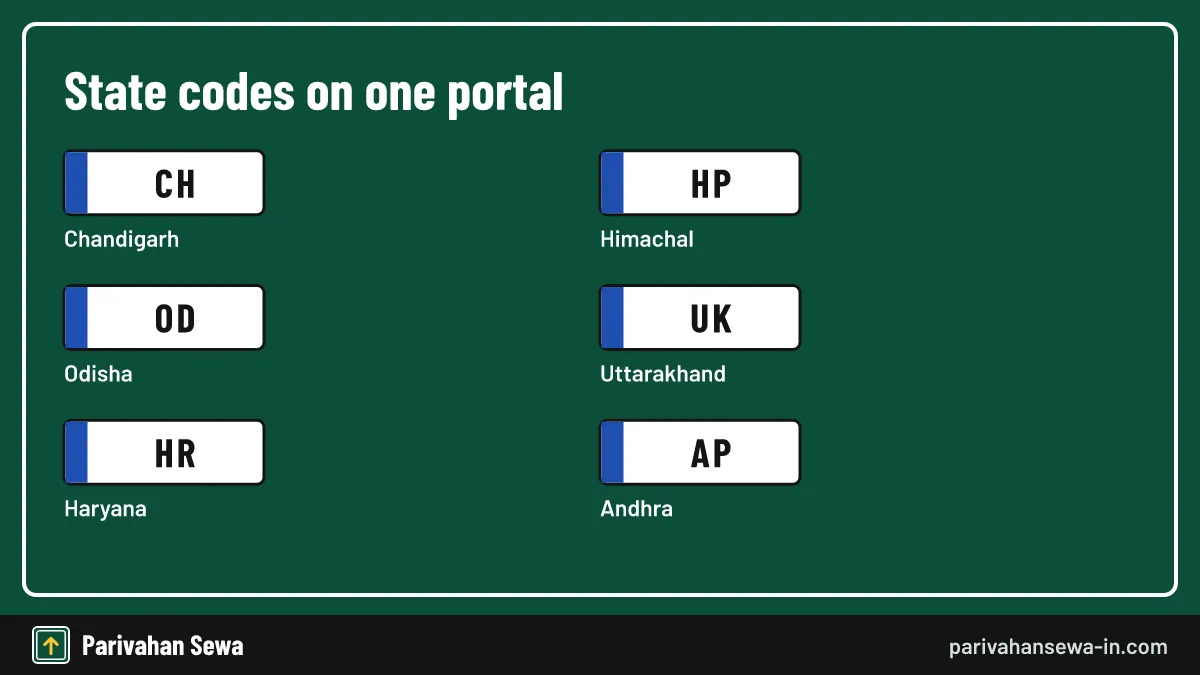
Vahan Chandigarh means vehicle services in the Union Territory, where the Registering and Licensing Authority (RLA) registers vehicles using codes CH-01 to CH-04. Owners choose Chandigarh on the Vahan portal and then the RLA, and follow the same online steps as any state.
The RLA’s role
The RLA approves registrations, transfers, duplicate RCs and choice number auctions in the city. For office details and auctions, see our guide to RLA Chandigarh.
Punjab and Haryana neighbours
Vehicles from Mohali or Panchkula belong to Punjab or Haryana offices, not the RLA. Choose the state on the plate.
How does HP Vahan registration work?
HP Vahan registration follows the national pattern: the dealer files the new vehicle on Vahan, the Himachal Pradesh RTO or registering authority approves it, and the number appears with the HP state code. Later services such as tax, transfer and duplicate RC are applied for under Himachal Pradesh on the portal.
Paying tax in Himachal
Secondary sources say Himachal road tax can be paid online through Parivahan with an OTP to the registered mobile, or at the RTO. Check the amount on the fee screen, as rates depend on vehicle value and class.
Dealer logins in HP
A Himachal transport document notes that dealers receive a unique Vahan login ID from the department on application. That is why new registrations start at the showroom, not with the buyer.
What is e Vahan Odisha?
E Vahan Odisha refers to Odisha’s online vehicle services on the national Vahan platform. A 2021 Transport Commissioner order moved vehicle services online through Parivahan and stopped cash at RTO counters, and in August 2023 the state launched visitless services under the name Mo Parivahan Seva.
Odisha plates and records
Odisha plates begin with OD; the older OR code was used until 2012. Records under either code are on Vahan, so choose Odisha and the district RTO.
Update the mobile first
Odisha asks owners to keep the registered mobile number current to view and use their data online. If the OTP goes to an old number, update it before trying any other service.
How is Vahan UK used in Uttarakhand?
Vahan UK means Uttarakhand’s vehicle services on Vahan, where plates begin with UK. Owners select Uttarakhand and the office on their RC, then use the usual services. Older vehicles may carry the UA code used for Uttaranchal from November 2000 to October 2007, and those records remain valid.
The state website
The Uttarakhand Transport Department publishes forms and notices on transport.uk.gov.in, which links to Vahan and Sarathi. Use it for state rules and the portal for applications.
Not the United Kingdom
Some searches for “vahan uk” come from people abroad. Vahan has no United Kingdom service; UK here is simply Uttarakhand’s code.
How do you pay UK Vahan tax?
To pay UK Vahan tax, open vehicle related services, choose Uttarakhand, enter the registration number and chassis digits, verify the OTP, view the tax due and pay by card, net banking or UPI, then download the receipt. The amount shown is calculated by the state’s own rules.
Rates to confirm
Secondary guides publish conflicting road tax slabs for Uttarakhand, so this page does not quote them. Rely on the figure the Vahan fee screen calculates for your vehicle, and keep the receipt.
Paying for a vehicle from another state
A vehicle entering Uttarakhand for a long stay may need tax under state rules.
How to check RC transfer status Haryana?
To check RC transfer status Haryana, open the Vahan Status menu, choose Haryana and enter the transfer application number. Haryana splits private and commercial work between RLA and RTA offices, so the application sits with whichever office handles your vehicle class.
Seller and buyer steps
The seller usually starts the transfer with an OTP on the old mobile; the buyer completes it. If one side is pending, status stalls. Our RC status Haryana guide covers the state’s offices.
When it is approved
After approval, the owner name changes in the record and a new RC is issued. The insurance should then be moved to the buyer’s name.
Where is AP driving test slot booking done?
AP driving test slot booking is not a Vahan service; it belongs to licence services. Andhra Pradesh runs vehicle registration on Vahan and driving licences on Sarathi, so test slots are booked on Sarathi with Andhra Pradesh selected, under the appointments menu, after the licence application and fee.
Booking tips
Guides say many RTOs open slots about 30 days ahead, and the slot step appears only after payment. Older guides also point to aptransport.org and Meeseva. Our slot booking guide covers the process.
Why it shows up here
People reach licence services through the same Parivahan menus as vehicle services, so searches get mixed. If your task is about a licence, switch to Sarathi.
Which Vahan NR e services errors are most common?
The most common Vahan NR e services errors are an OTP that never arrives, “vehicle not found”, a payment that shows as pending, and a service missing from the menu. Almost all trace back to the record or the state’s settings, not to your browser.

OTP and record errors
An OTP to an old number means the record’s mobile needs updating, which some states allow online with Aadhaar and others at the RTO. “Not found” usually means the wrong state, a typo or an undigitised old record.
Payment and menu errors
For a pending payment, wait and use the pending transaction check. A missing service means your state has not enabled it online; the RTO can process it at the counter.
Are Vahan NR e services official and safe?
Yes, Vahan NR e services are official when used on parivahan.gov.in addresses or the mParivahan app. They are run by NIC for MoRTH. Risks come from lookalike sites and agents who ask for OTPs or extra fees, not from the portal itself.
Checking you are on the real portal
Look for an address ending in parivahan.gov.in and a padlock.
Protecting your OTP
An OTP lets someone act on your vehicle record. Share it with nobody except the portal itself. If you have been tricked, report it on the National Cyber Crime portal and tell your RTO.
Which Vahan NR e service fits your task?
Match the task to the NR e service that owns it. Most tasks start under vehicle related services; tracking sits under Status; permits have their own menu; licence tasks move to Sarathi. The table below is a quick guide.
| Your task | Menu to open | Portal |
|---|---|---|
| Pay road tax | Online services, pay tax | Vahan |
| Replace a lost RC | Online services, duplicate RC | Vahan |
| Remove a loan entry | Online services, hypothecation termination | Vahan |
| Move to another state | Online services, NOC | Vahan |
| Track any application | Status, know your application | Vahan |
| Book a driving test | Appointments | Sarathi |
If your task is not listed
Open the state’s service list after choosing the state; it shows every service that state has switched on. If a task is missing, the RTO will tell you whether it is counter-only.
Keep a simple record
Save every receipt and application number in one folder.
Official links
Vahan citizen servicesvahan.parivahan.gov.in ↗Parivahan Sewaparivahan.gov.in ↗Sarathi (licence services)sarathi.parivahan.gov.in ↗Uttarakhand Transport Departmenttransport.uk.gov.in ↗Ministry of Road Transport and Highwaysmorth.gov.in ↗Vahan nr e services questions
What does NR stand for in Vahan NR e services?
NR stands for National Register, the central copy of vehicle records that NIC compiles from every Vahan office and from the state registers of offices outside Vahan.
Are Vahan NR e services free?
Opening the portal and checking status is free. Services such as a duplicate RC, transfer, NOC or permit carry fees set by the state, shown on the fee screen before you pay.
Do I need a login for Vahan online services?
Usually not. Most owner services open with the registration number, chassis digits and an OTP. Citizen accounts help if you manage several vehicles, and dealers use separate logins.
Why is my vehicle not found on Vahan?
The state or RTO chosen may be wrong, the number may be mistyped, or an old record may not yet be digitised. The RTO has to update the record before online services work.
Can I use Vahan services for a vehicle registered in another state?
Yes. Choose the state and office on the plate and RC. Services such as an NOC for re-registration start from the state that holds the record.
What is the difference between Vahan and Sarathi?
Vahan covers vehicles: registration, tax, permits, fitness and RC services. Sarathi covers people: learner licences, driving licences and test slots.
How long does a Vahan application take?
It depends on the service and the RTO. Payment confirms in minutes, while approvals that need document checks or inspection can take days. Track progress with the application number.
My payment failed but money was debited. What now?
Do not pay again straight away. Use the pending transaction option in the Status menu after an hour or two; it checks with the bank and either completes or fails the payment.
Can someone else apply for me?
Only with the OTP from the registered mobile. Never share that OTP with an unknown agent, because it authorises changes to the vehicle record.
Is a vahan particular the same as an RC copy?
Not quite. A particulars printout lists the full record, while the RC copy is the certificate itself. Many offices accept either, but ask which one they need.
Where do I complain if a Vahan service is stuck?
Contact the RTO that holds the application first. For portal faults, the Vahan helpdesk email listed by secondary sources is [email protected]; confirm it on the portal.
Does the national register show my phone number to others?
No. Public searches mask owner details, and full records are released only to authorised users such as RTOs, police and enrolled agencies.
Parivahan Sewa (parivahansewa-in.com) is an independent information website and is not affiliated with MoRTH, Parivahan or any state transport department. Confirm fees and rules on the official portal before you pay or apply.